
How to Download Pinterest Videos: A Practical Guide for Marketers


Pinterest is an underrated video platform. Videos there get 3x the viewability and twice the completion rate of the average social media platform. That's a big deal if you're trying to get content in front of an audience.
So it makes sense that marketers want to save Pinterest videos — whether to repurpose them, study the competition, or just build out an internal content library. But Pinterest doesn't make downloading easy: no built-in button on desktop, some limitations on mobile. Here's how to actually do it.
Why bother downloading Pinterest videos?
There are two main use cases here, and they're pretty different.
Repurposing your own content (or UGC) — If you've been posting video Pins, or if customers are sharing videos that feature your product, downloading those lets you spread them across other channels: LinkedIn, Facebook, TikTok, wherever your audience is. Just make sure you have permission from the original creator before you repost anything that isn't yours.
Building an internal reference library — This is the quieter but equally useful use case. Downloading competitor videos, saving content that inspires you, building a mood board for upcoming campaigns — none of this requires redistribution. It's just smart research.
Downloaded videos also come in handy for client presentations and internal stakeholder reviews. Embedding a video into a slide deck is a lot cleaner than sending someone to a Pinterest link mid-meeting.
Downloading Pinterest videos on desktop
Pinterest doesn't offer a native download option on its website, so you'll need to use a workaround.
Option 1: A web-based downloader
There are plenty of sites that do this. Copy the URL of the video Pin you want, paste it into the downloader's input field, and hit download. Most of them let you choose the resolution or format before saving. Some popular solutions include SavePinMedia, KlickPin, and PinDown.
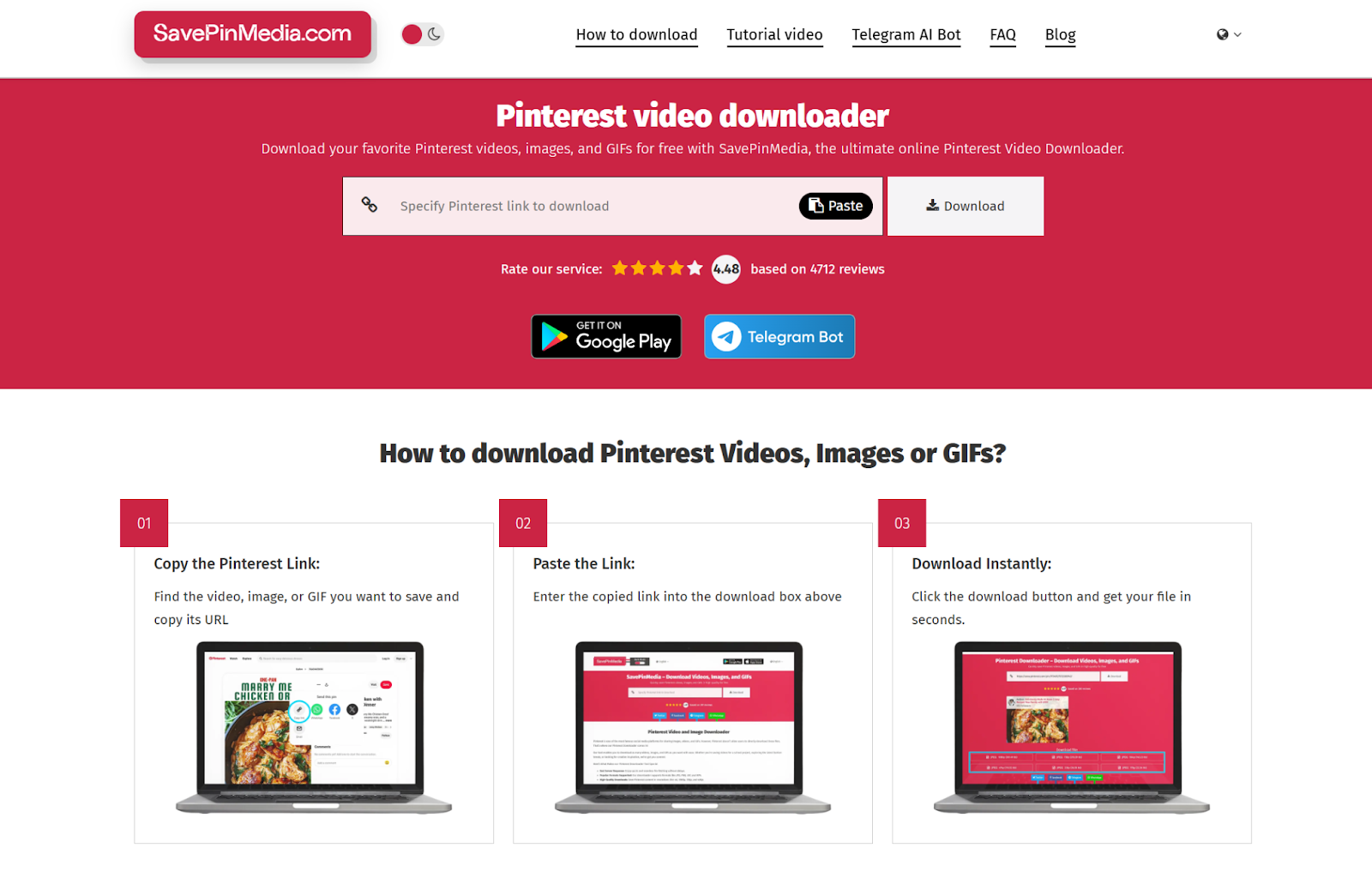
No software needed, which is the appeal. The downside is quality varies — stick to tools that have solid reviews or have been recommended by reputable tech publications. Avoid anything that's plastered with sketchy ads or asks for personal information beyond the URL.
Option 2: A browser extension
Extensions for Chrome, Firefox, Safari, and Edge can detect video content on a page and add a download button directly to the Pinterest interface. Install one from your browser's official extension store, navigate to the video Pin, and click the download button the extension adds.
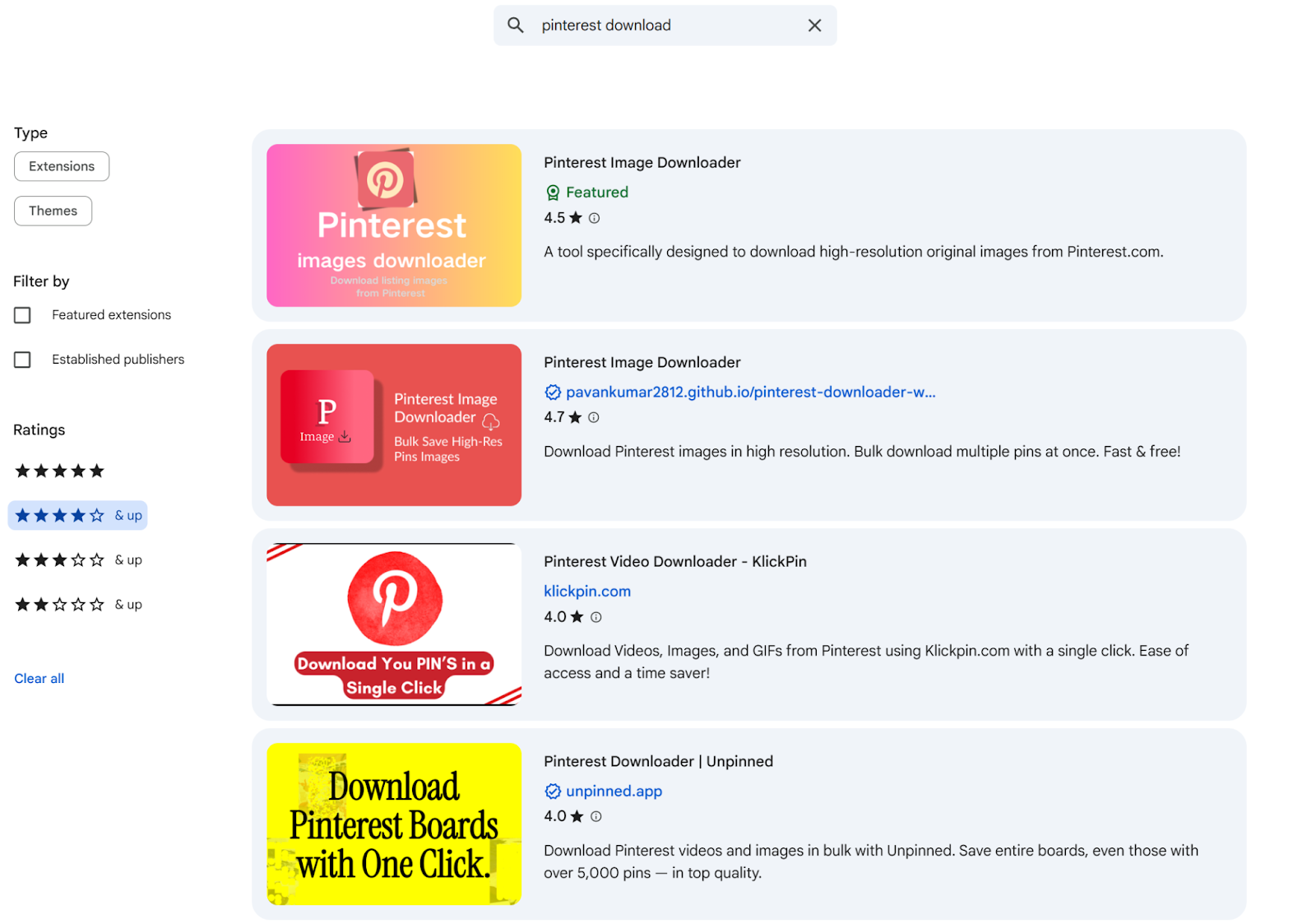
As with any third-party extension, check the source and review the permissions it requests before installing.
Option 3: Desktop software
If you regularly download video from multiple platforms — YouTube, Facebook, Pinterest — dedicated software might make more sense than using a web tool every time. These programs often support batch downloads and offer more control over output quality.
Whichever method you use, keep your antivirus running and don't install tools from unverified sources.
Downloading Pinterest videos on mobile
This is actually easier than on desktop, partly because Pinterest's own app supports it. Here are some proven options:
Option 1: The Pinterest app (iOS and Android)
The simplest approach. Open the app, find the video Pin you want, tap the Share icon (the outward-pointing arrow), and look for the download option in the menu. On most versions of the app it'll say "Download" or "Save Video."
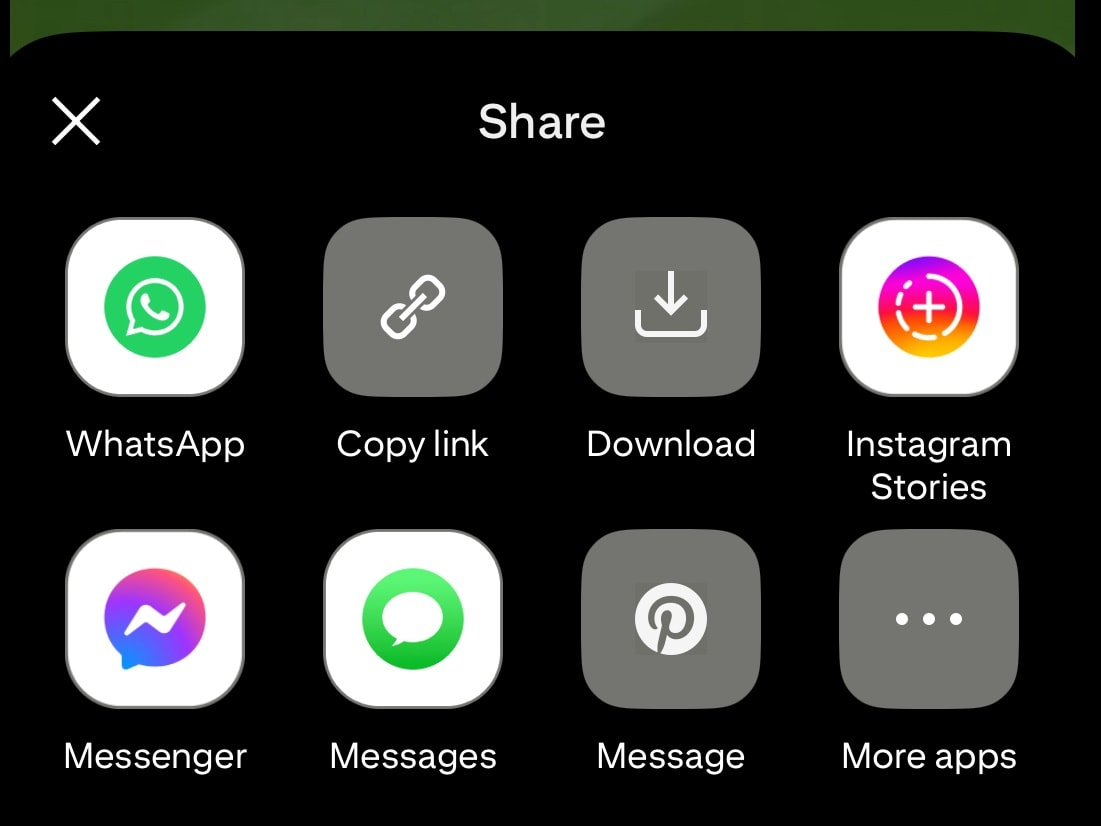
A couple of caveats: the creator can disable downloads on their content, so not every video will have the option. And videos saved this way include a small Pinterest watermark by default.
Option 2: A mobile browser downloader
Same idea as the desktop version — copy the link from the Pinterest app, open a browser-based downloader, paste the link, and download. Works on both iOS and Android without installing anything extra. Same cautions apply around choosing a trustworthy site.
Option 3: Third-party apps
There are apps built specifically for saving social media videos. The general flow: copy the video link, open the app, paste the link, save to your camera roll.
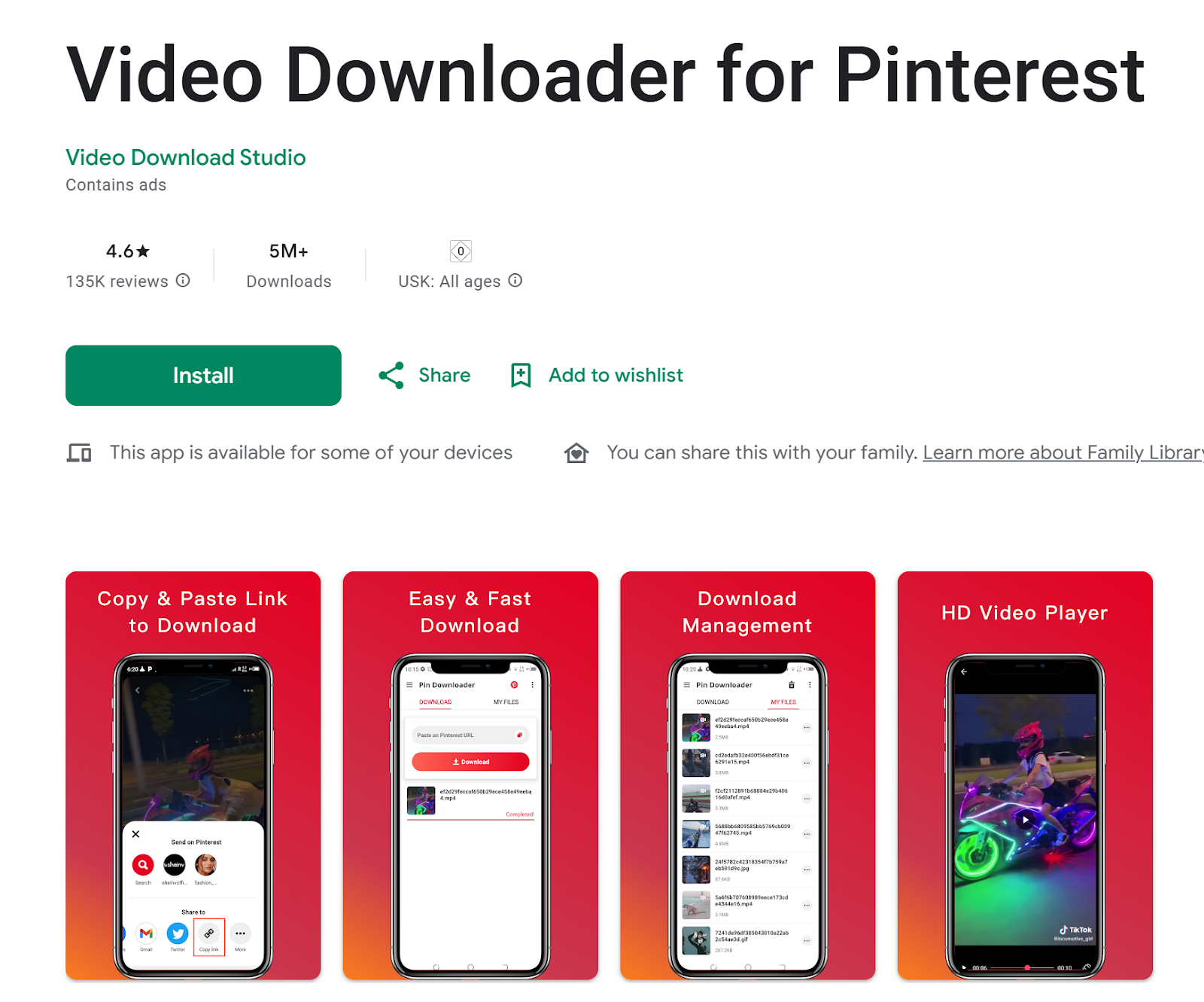
Here are some highly-rated option from Google Play:
- Video Downloader for Pinterest - a free Pinterest video downloader that can help you quickly download high-quality videos from Pinterest, save Pinterest videos to albums and play them offline.
- Downloader by ETM - helps you quickly download high-quality videos, GIFs, and photos from Pinterest.
Download these from the App Store or Google Play only, and give the permissions list a look before installing.
Option 4: Screen recording (last resort)
Both iOS and Android have built-in screen recording. It works, but the quality is lower, you'll capture any notifications or UI elements that pop up during recording, and you'll need to trim the clip afterward.
Use this only if nothing else works, and primarily for internal reference rather than anything you'd share externally.
A few things to know before you start downloading
Get permission before reposting anything you didn't create. Pinterest's own policies are clear: if you want to use someone else's content in your marketing, you need to go back to the original creator and ask. This matters especially for user-generated content. The good news is that reaching out often builds goodwill and can turn an everyday customer into a genuine brand advocate.
Credit creators when you share their content. Even if you have permission, attribution matters — both ethically and practically.
Keep your internal library tidy. If you're building a collection of downloaded videos for research or inspiration, store them in a shared location with clear labeling and set access permissions appropriately. Otherwise, someone down the line might mistake competitor research for your own branded content. Awario lets you monitor and store social content in one place, which helps keep things organized.
Don't take risks for a download. If a tool seems shady, it probably is. Stick to well-reviewed options, keep your antivirus active, and if something asks for unusual access, don't proceed.
Pinterest video is genuinely underused in most marketing stacks. Whether you're repurposing strong-performing content, benchmarking against competitors, or just trying to understand what's resonating with your audience on the platform, having a reliable method for saving videos gives you more to work with. Use it wisely.